If you're the owner of a shared folder, you can unshare it at any time. Editors and viewers in a folder do not have the ability to unshare it.
When you unshare a folder, the files will be removed from the members' online accounts immediately and from their linked computers the next time they sync using the Dropbox desktop application. The files will be permanently deleted from their accounts, and they won't be able to recover the files, even with Dropbox's restore feature.
Unsharing a folder also gives you the option to let members keep their own copy of the folder and its contents. If you choose this option, you might want to avoid confusion by telling them that the folder is no longer shared and any changes to one person's copy of the folder will no longer sync across the group.
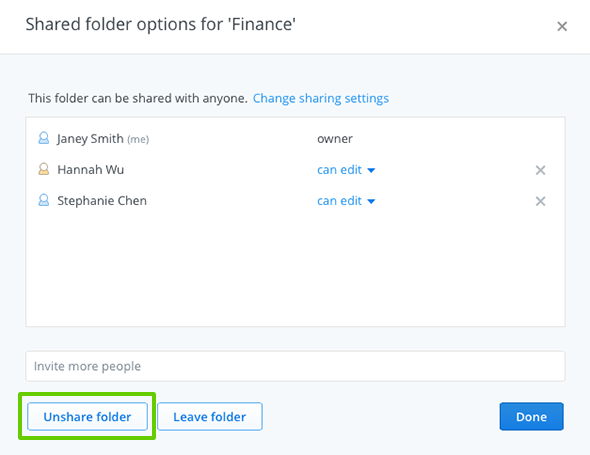 Unshare folder button from the Shared folder options window

