If you've left a shared folder, you can rejoin it through the Dropbox website.
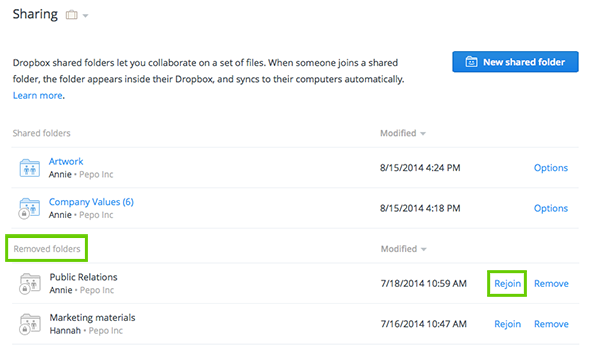
Dropbox will automatically download the shared folder again even if the previous version of it still exists on your computer. If the previous version is in the same location, Dropbox will download the new version of the rejoined shared folder and append "(1)" to the end of the name (so that you don't have two folders with the same name).
If you'd like to change or restore the previous name, you can rename it to whatever you'd like.

