The owner of a shared folder (and under some conditions, editors) can remove members from the folder. You can find out your role in a shared folder by going to the Sharing page and clicking the Options link for the folder. In the pop-up window, you'll see your role next to your name.
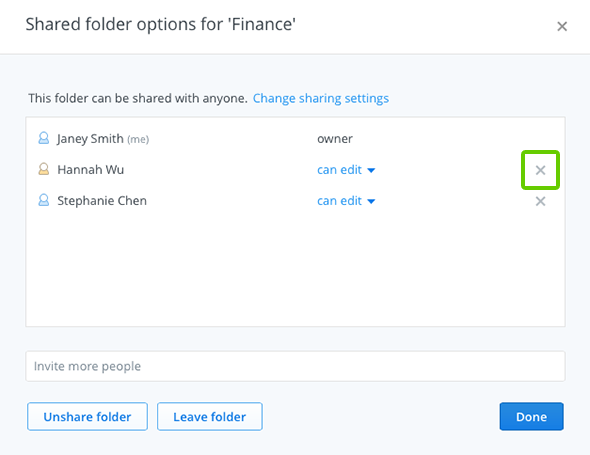
When you remove members, you'll be given the option to let them keep a copy of the shared folder and its files. If you choose not to, the files will be removed from the members' online accounts immediately and from their linked computers the next time they sync using the Dropbox desktop application. In this case the files will be permanently deleted from those accounts, meaning they can't be recovered even with Dropbox's restore feature.
If you allow removed members to keep a copy of the shared folder, you might want to avoid confusion by letting them know that their copy will no longer sync with other accounts.

