Groups are a new way of managing shared folders that make collaboration easier. Using groups, you can create and manage lists of members to share information directly with the group instead of adding each person individually.
Sign up for early access to enable this feature, and learn more about groups.
New collaboration features!
Now you can collaborate with your colleagues, straight from the apps that power your work. See if team members are viewing or editing a Microsoft Office file right from the desktop, through the new Dropbox badge.
Get early access to this feature, or learn more about the Dropbox badge.
You can share a folder with any group, even a group that you aren’t a member of. Simply share a folder, and in the “Invite members to share this folder” field, enter the name of the group you’d like to share with.
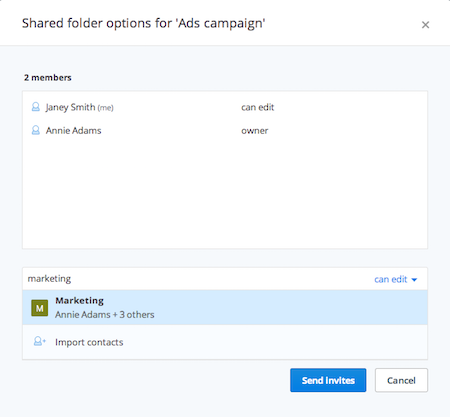 Share a folder with a group
You can set viewing or editing permissions, and once you click Share folder, all members of the group will be invited to the folder.

