If your computer or mobile device was lost or stolen, or you're just generally worried about the security of your account, here are some actions you can take:
You can change your password in your account settings. See our tips for choosing a secure password.
Two-step verification is a highly effective way to protect your account from unauthorized access. Every time you sign in to Dropbox, you'll be required to enter the code sent to your phone or a mobile authenticator app. Find out how to set up two-step verification.
For a computer, Dropbox records the last known IP address when it connects to the internet. The IP address can be used to identify the approximate geographical location where the computer connected through an internet service provider. You can view this information on the Security tab in your account settings.
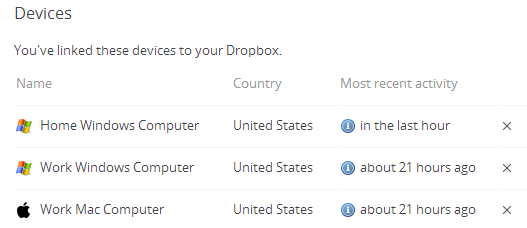
Roll your mouse over the "i" icon for the most recent activity for your linked computers or web sessions. You'll see the last IP address that was recorded. This information will update whenever a linked computer or web session connects to the internet with Dropbox running.
We currently display the country of the last known IP address, but you can use any IP address lookup service for more detailed information.
From the Security tab you can also unlink devices, web sessions, and apps as needed by clicking the corresponding X. This will help prevent unauthorized changes to your account.

