

Titles and sharing settings in the datastore browser
Posted by Leah Culver on October 01, 2014
Just a couple weeks ago we announced several new Datastore API features including shared datastores, local datastores, and datastore webhooks. With these new features, we've also updated the datastore browser.
You can find the datastore browser on our Dropbox developer site, under the App Console. Find the app you'd like to view and click the "Browse" link.
Our new updates include an improved sidebar and top section as well as information about sharing. First, we've updated the sidebar to show the title of the datastore, if it has one. There's also a new top section that shows more details about the current datastore: title, datastore ID, the last modified time, and whether the datastore is shareable or private.
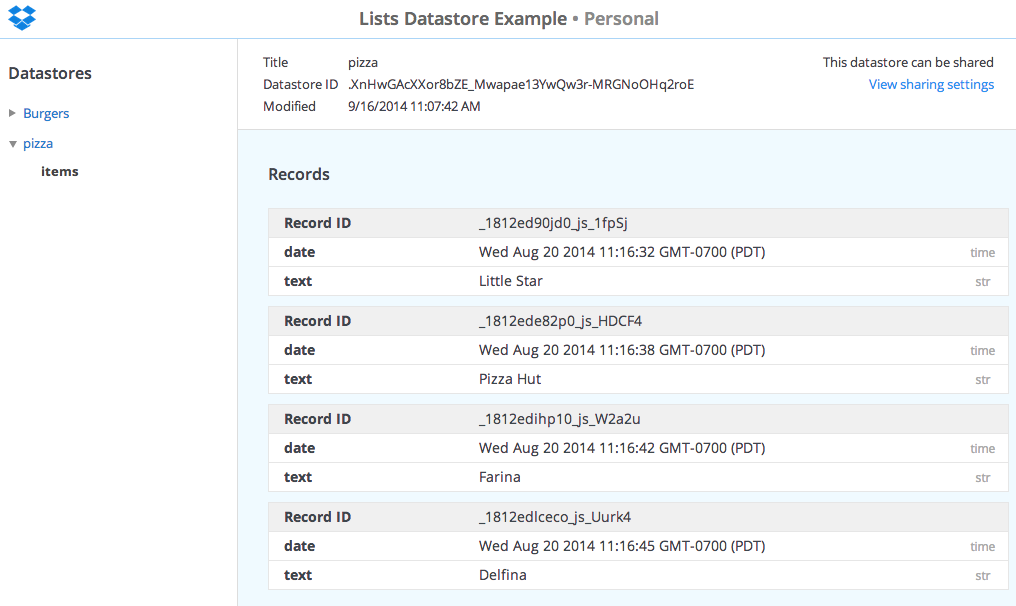
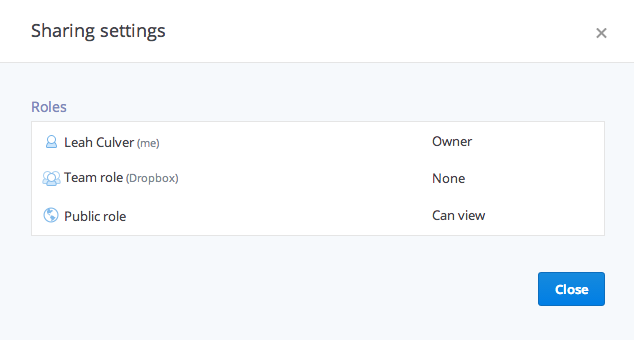
If the datastore is shareable, you can click on the "View sharing settings" link to view the current datastore permissions: the owner, the public role, and team role (if the linked account is a Dropbox for Business user).
The datastore browser is read-only and updates in real-time, so there's no need to refresh the browser to view changes. This is super helpful for viewing datastores while developing and testing an app!
Try out the improved datastore browser and feel free to let us know what you think in our developer forum.