New collaboration features!
Now you can collaborate with your colleagues, straight from the apps that power your work. See if team members are viewing or editing a Microsoft Office file right from the desktop, through the new Dropbox badge.
Get early access to this feature, or learn more about the Dropbox badge.
If you’re collaborating on a Microsoft Office file and your colleague saves changes to the file, they’ll create the latest version of the file, which you can update to. If you choose to save your own version of the file by checking the box “Save my changes as a separate version,” you will create a new file with your changes in it.
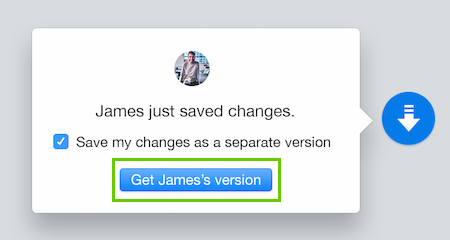
However, if you do not use the Dropbox badge’s prompt to save your changes as a separate version but save the document anyways (by clicking the floppy disk image or using Ctrl + S or Cmd + S), you will create a conflicted copy with your name in the title.

