New collaboration features!
Now you can collaborate with your colleagues, straight from the apps that power your work. See if team members are viewing or editing a Microsoft Office file right from the desktop, through the new Dropbox badge.
Get early access to this feature, or learn more about the Dropbox badge.
You can share a link to a copy of your file right from the Dropbox badge, even as you're working.
To share a link to a copy of your file:
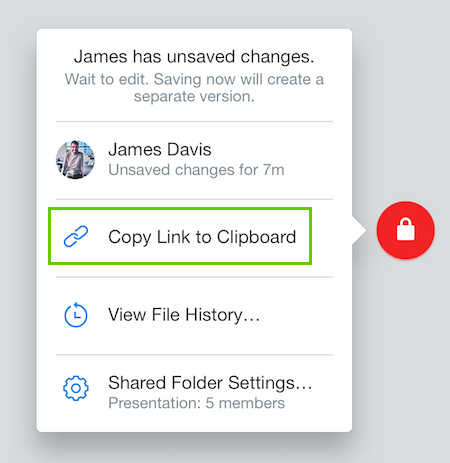
The link will be copied, and you can immediately paste it into emails, instant messages, blog posts, or wherever you'd like people to access the file copy.
Links created from the Dropbox badge are not password protected and do not have an expiration. Dropbox for Business and Dropbox Pro users can open the link they've created from the Dropbox badge and can set a password or set an expiration date for the link.
You can remove a link at any time by going to your Links page and clicking the X to the right of the file or folder in the list.

