Groups are a new way of managing shared folders that make collaboration easier. Using groups, you can create and manage lists of members to share information directly with the group instead of adding each person individually.
Sign up for early access to enable this feature, and learn more about groups.
If you’re the owner of a group, you can add or remove members at any time. Adding members to a group is a great way to invite them to multiple shared folders at once. A group member will automatically be invited to all shared folders the group has been invited to. Similarly, removing a member from a group removes the person from that group’s shared folders.
To add a new group member:
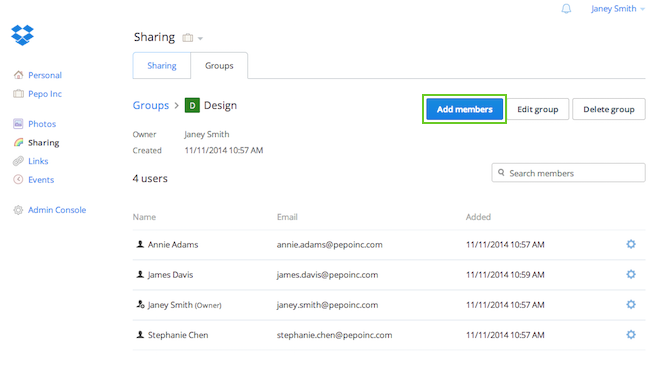 Click Add members
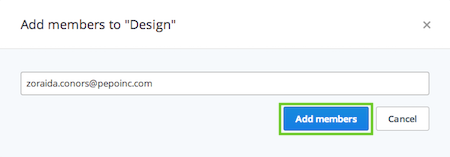 Enter the new group member's email address
To be invited to your Dropbox for Business group, the person must be a member of your Dropbox for Business team. Once you add the person to your group, they will be sent an invitation to all the shared folders that the group has access to.
Please note that you can add up to 100 members to a group.

