Albums are the easiest way to organize and share a bunch of photos and videos in your Dropbox. Once you create an album, you can share it with friends, family, and colleagues—even if they don't have a Dropbox account.
If you've already organized your photos into folders, you can create an album directly from those folders.
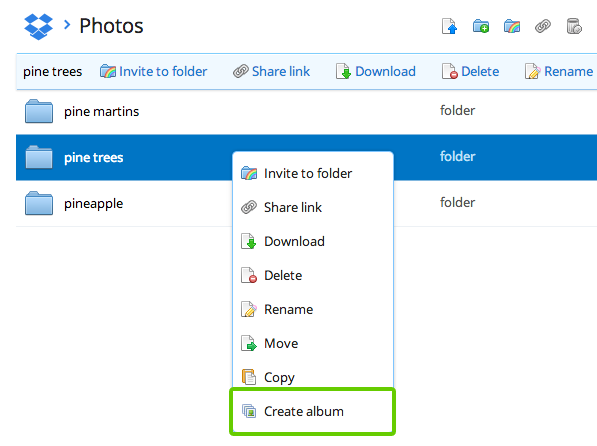
Your new album will appear instantly on your Photos page and have the same name as the folder. The album will have all of the photos that appear in the top level of the folder; photos in subfolders of the folder will not be included automatically.
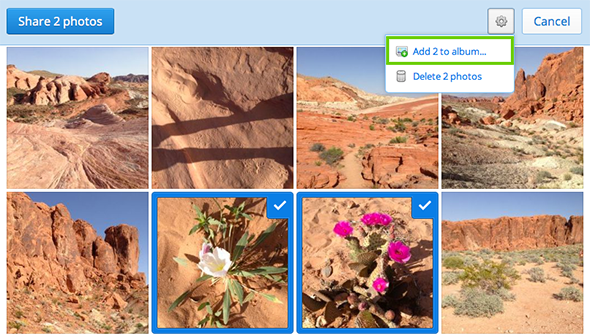
You can always add more photos to an album by selecting them on the Photos page and clicking the Add to album... button in the blue bar at the top of the page. Or just as easy, select photos and drag them to the album name in the list on the left.
Creating albums does not take up additional space in your account, nor does it change the locations of your photo and video files.

