How do I use remote wipe to delete the Dropbox folder from a member’s device?
« Back to Help Center
If you’re the admin of a Dropbox for Business account, you can use remote wipe to delete the Dropbox folder from a team member’s linked device if it's ever lost or stolen.
Note that you can only delete the team member's work Dropbox folder. If a member has also connected a personal Dropbox, they'll need to use remote wipe themselves to delete it.
Remote wipe a team member's device
- Sign in to your admin account.
- Click on Admin Console in the left sidebar.
- Click on the name of the member whose device you want to unlink.
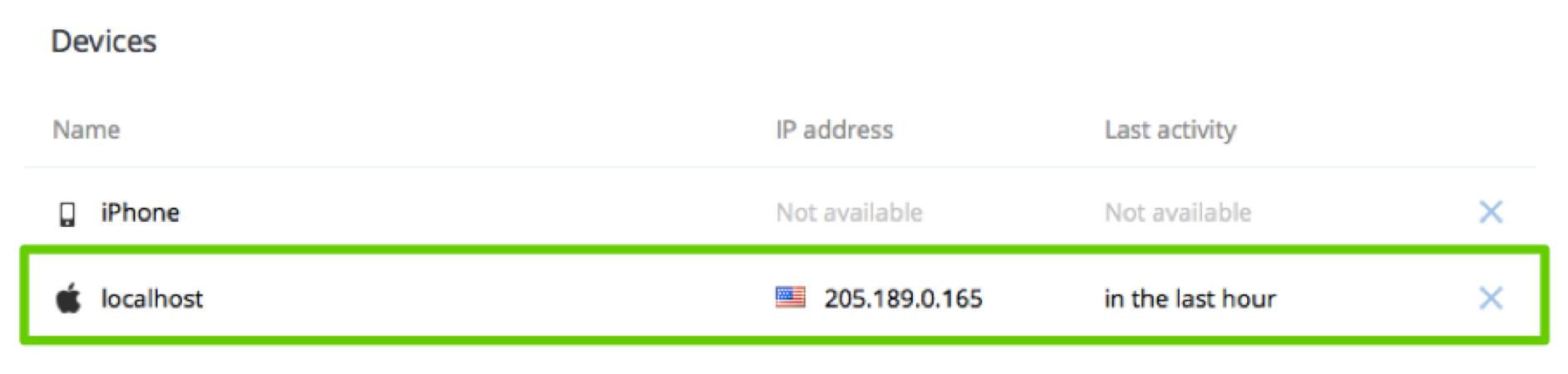
- Select the device you want to unlink under Devices and click the X next to it.
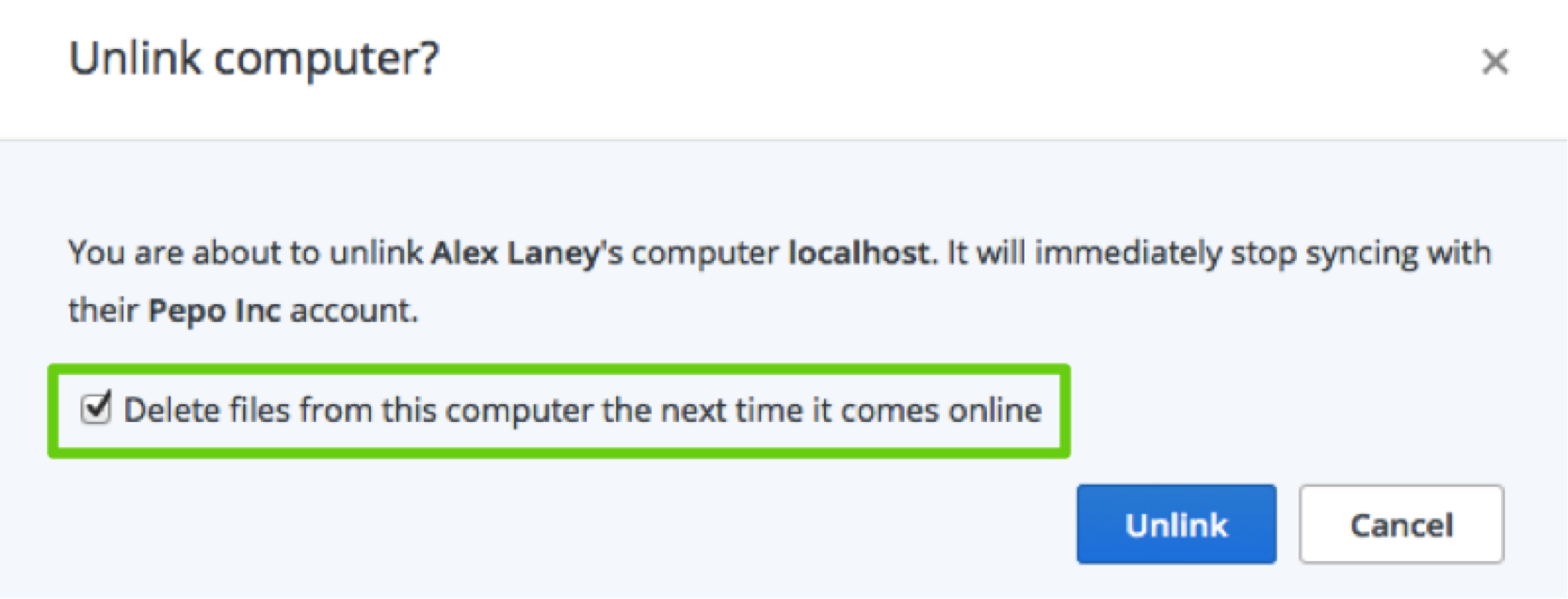
- In the pop-up window, select the option Delete files from this computer the next time it comes online and then click Unlink.